Your streamer is your source. Audiogravity is the conductor.
MPD, Roon, HQPlayer, AirPlay, UPnP sources and renderers, internet radio — every
engine, every source, down to DSD and Hi-Res PCM. Send your library to any network renderer.
Audiogravity coordinates each component of your stack, from the system to your Qobuz,
Tidal and HIGHRESAUDIO libraries, without replacing any of them. One interface. Total control.
MPD·Roon Bridge·HQPlayer
NAA·upmpdcli·Shairport-Sync·MinimServer·UPnP Control Point·Qobuz·Tidal·HIGHRESAUDIO·Internet radio·DSD256·PCM 768/32·SCHED_FIFO·cyclictest·iPerf3·WebAuthn·Face ID·DietPi·Raspberry Pi·MPD·Roon Bridge·HQPlayer
NAA·upmpdcli·Shairport-Sync·MinimServer·UPnP Control Point·Qobuz·Tidal·HIGHRESAUDIO·Internet radio·DSD256·PCM 768/32·SCHED_FIFO·cyclictest·iPerf3·WebAuthn·Face ID·DietPi·Raspberry Pi·
The problem it solves
"The enemy of bit-perfect playback isn't the engines you trust. It's the kernel
scheduler
interrupting your audio thread for 200 µs to handle a network IRQ."
Features
From the machine to your Qobuz, Tidal & HIGHRESAUDIO library.
Twenty-one modules orchestrating every layer of your streamer — system tuning,
service control, signal-path visualisation, unified transport across MPD, Roon, HQPlayer, AirPlay,
UPnP and internet radio. Starter ships with the essentials; Pro unlocks the deep audio-engineering
surface.
PRO
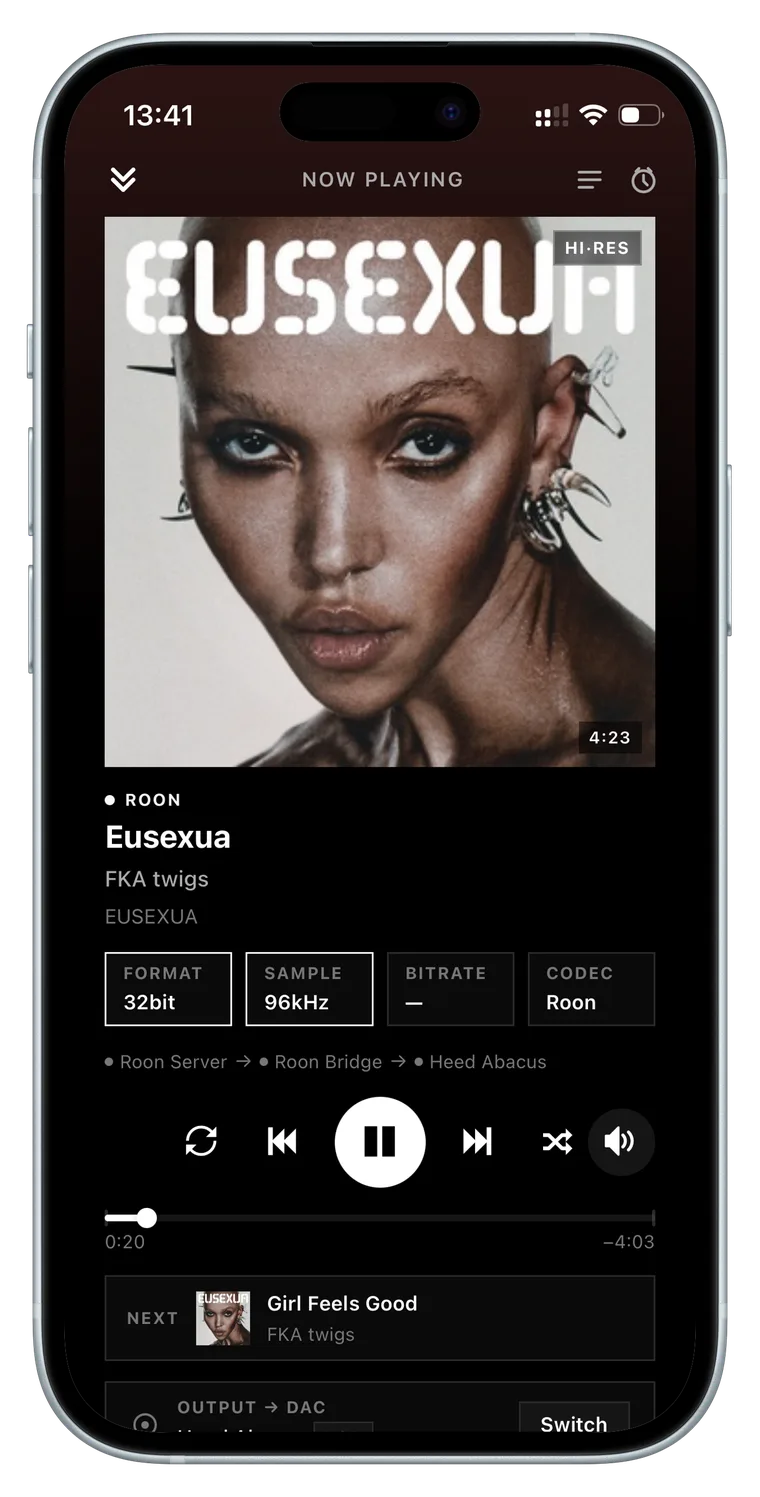
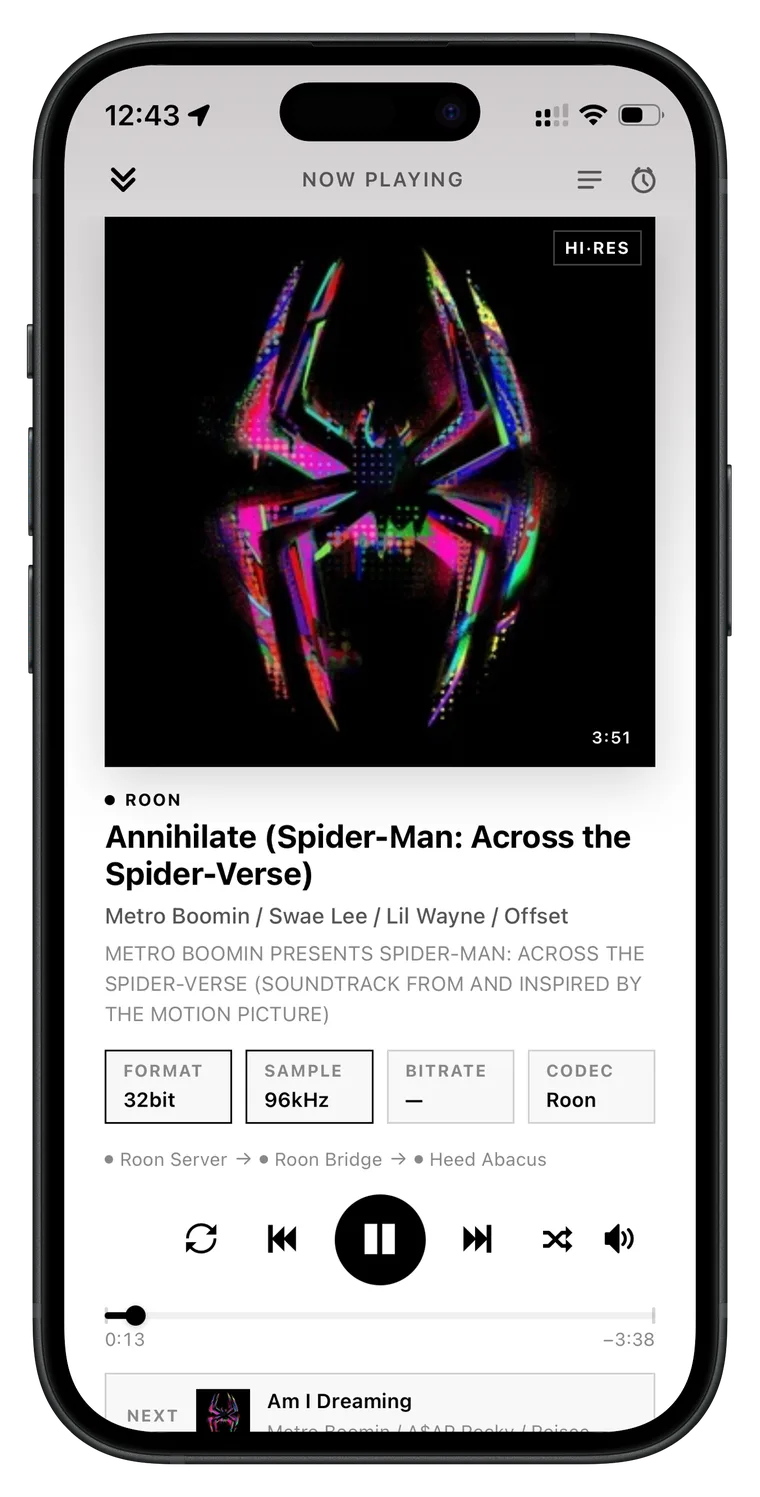
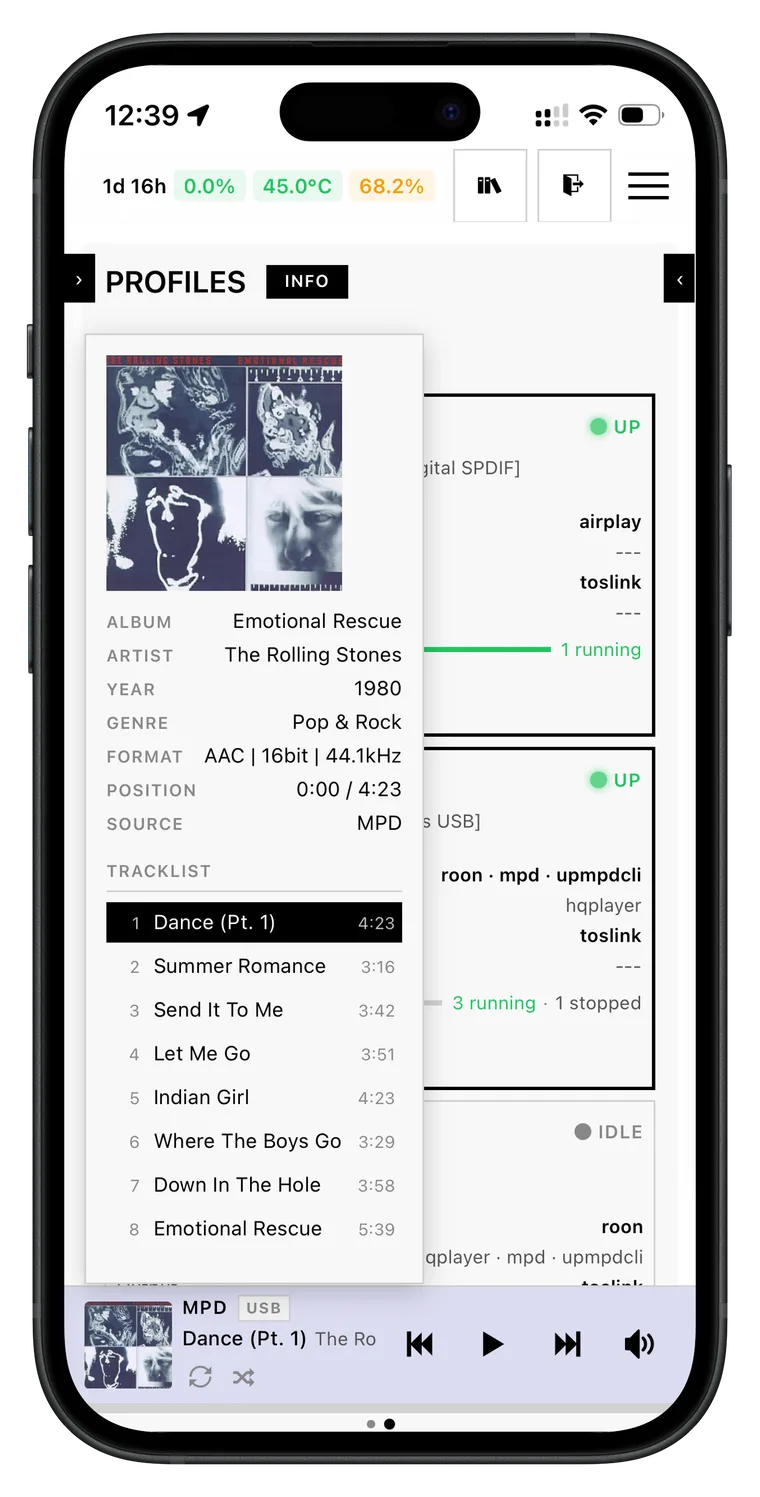
Unified transport across every engine
One interface, one set of controls, every engine your streamer runs — MPD, Roon, HQPlayer,
AirPlay and UPnP, simultaneously. A stream origin badge always tells you where the
audio is coming from, and the live Hi-Fi readout — format (PCM / DSD), sample rate, bit
depth, instantaneous bitrate — refreshes on every track change. The queue reads every
source, with per-source badges and a filter when they mix.
Audiogravity conducts; your engines play.
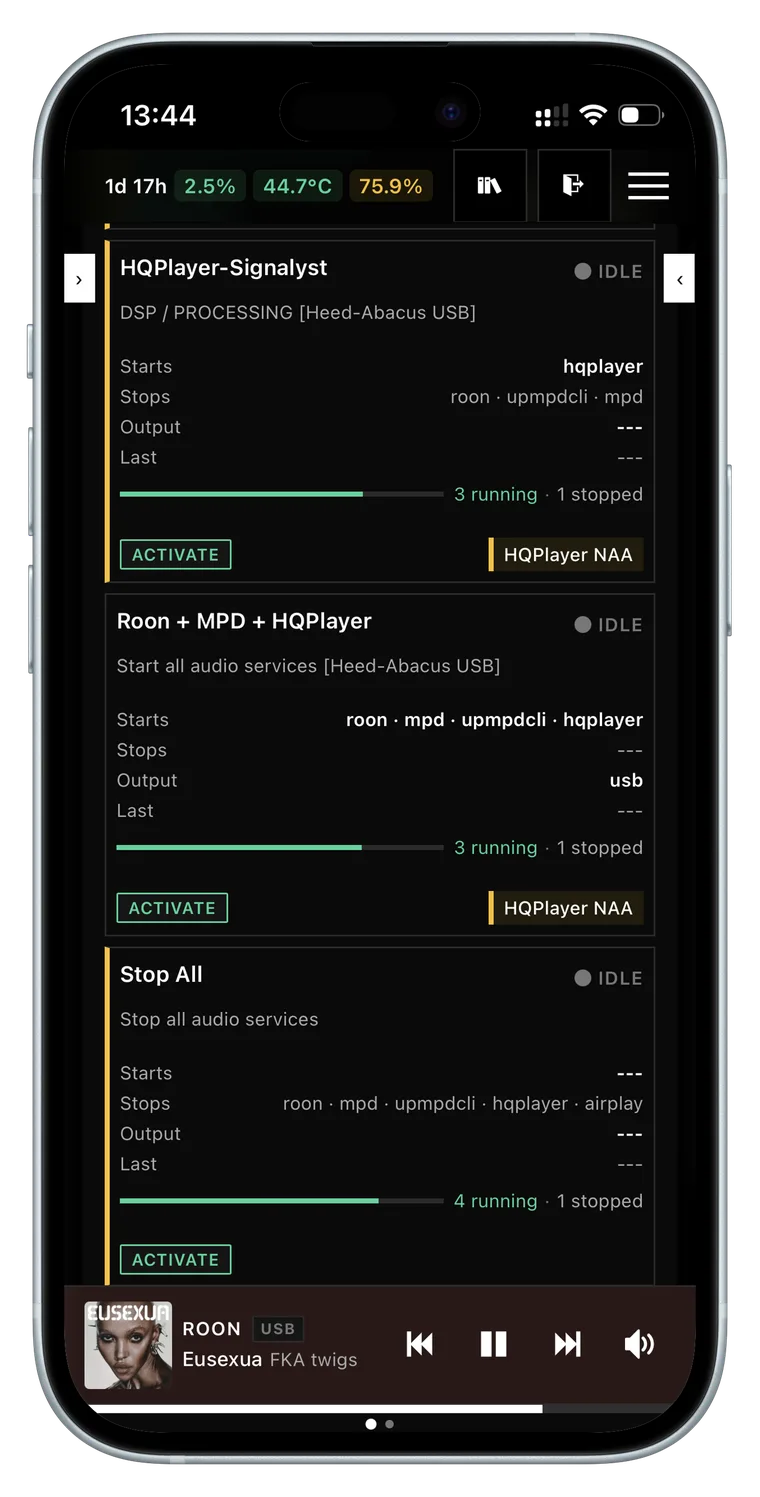
"Roon + HQPlayer" for serious listening. "MPD + upmpdcli" to expose your streamer as a UPnP
renderer — controllable from BubbleUPnP, Kazoo or any OpenHome app. "AirPlay only" for
background music. Each profile lists exactly which services to start and stop — conflicts
resolved automatically. Atomic activation with detailed toast on failure.
Conflict resolution · atomic · history
PRO
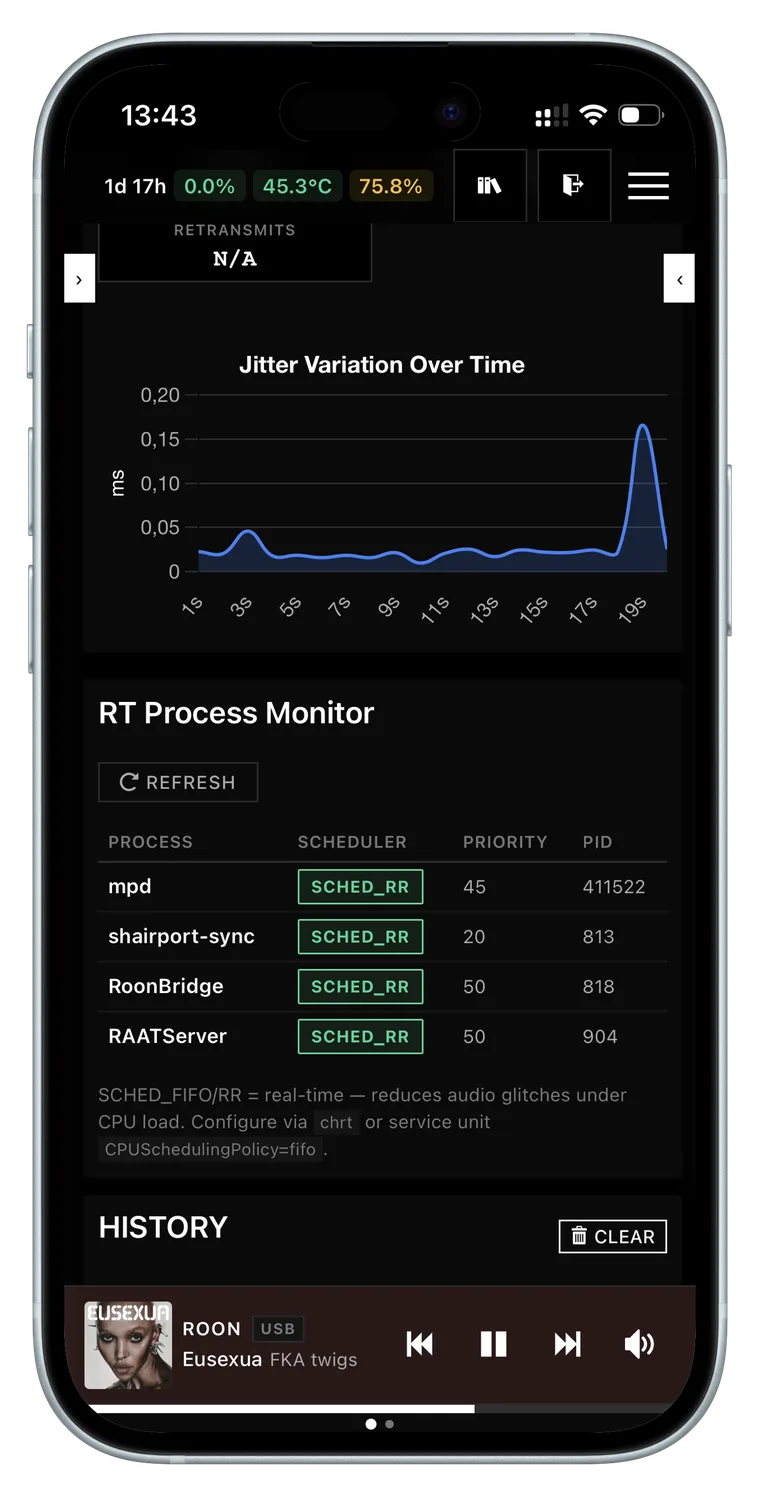
Give your music its own CPU cores
Your player gets the processor before anything else, on cores reserved for it, with its audio held
in memory — never pushed to disk mid-track. Written as system overrides that survive updates
and can be undone at any time.
FIFO · RR · MEMLOCK · RTPRIO
PRO
Measure the stability, don't assume it
Run the test from your browser and read the result in microseconds: proof that the machine really
holds a steady beat, not just that the software is installed. Compare before and after, each
run timestamped and kept.
cyclictest · iPerf3 · jitter histograms
PRO
Full speed where it plays, quiet elsewhere
The cores playing music run flat out; the others stay quiet and cool. A per-core heat map shows
where the warmth is, and a THROTTLED badge appears the moment the machine slows itself
down to cope — before your ear catches it.
governor · Performance · Powersave · thermal map
STARTER
Set up and edit audio service configs without breaking them
New box? The guided setup detects your DAC and music library and generates a minimal,
bit-perfect config for MPD, AirPlay and UPnP; Guided mode then changes an output or
library in two clicks — only what you touch is rewritten. For deeper edits: form view, a full text
editor with syntax highlighting (JSON, INI, XML, libconfig), live validation before save, side-by-side
diff, automatic timestamped backup before every change.
An interactive graph of your entire Hi-Fi chain — every source, every active audio process,
down to the DAC. Each link shows the exact stream format (PCM / DSD · 44.1 kHz → 768 kHz ·
16 → 32 bit), a bit-perfect badge, per-link latency and live play state. Click a
link to hot-reroute the audio to a different DAC — gapless on MPD; AirPlay warns you first,
since its receiver has to restart.
interactive graph · pan · zoom · minimap · hot rerouting
PRO
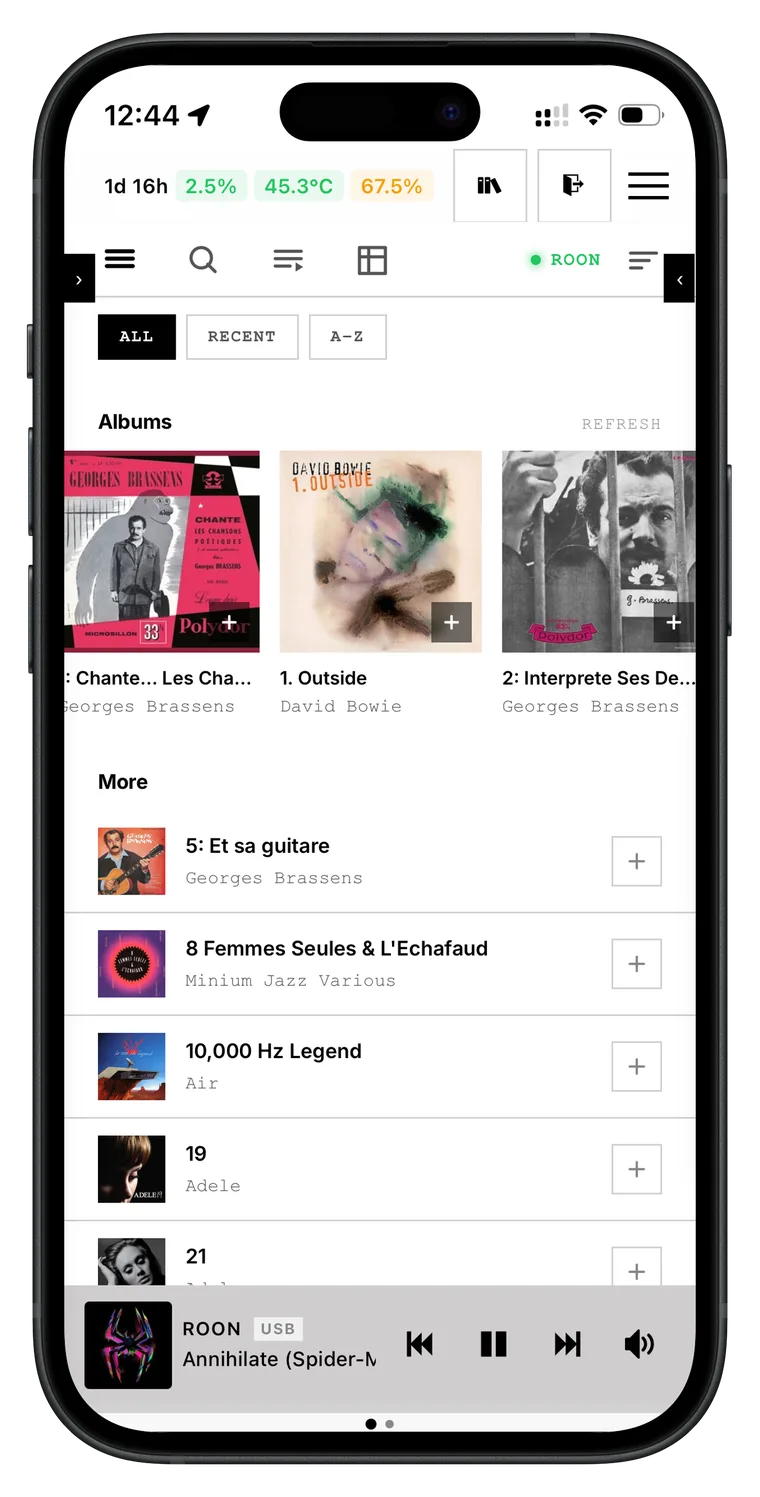
High-resolution library
Browse Roon, MPD, MinimServer, Qobuz, Tidal and HIGHRESAUDIO from one interface — album
view, full-text search, direct playback with cover art. Star an album to favourite
it on its streaming service; tap an artist in search to open their albums across
every source. Pick a track, pick a renderer: the music flows at full resolution — even
local NAS/USB files cast to a network renderer, bit-perfect. Qobuz, Tidal and HIGHRESAUDIO
require an active subscription.
Most apps treat radio as a second-class source — a different player, a degraded path to the DAC,
no metadata, no cover art. Here it isn't. Stations flow through the same transport as your FLAC
library, route to the same output zone, surface the same Hi-Fi readout. Curate your own
collection, filter the catalogue down to Hi-Res, save the ones worth coming back to.
Same transport · Hi-Res filter · live metadata · cover art
STARTER
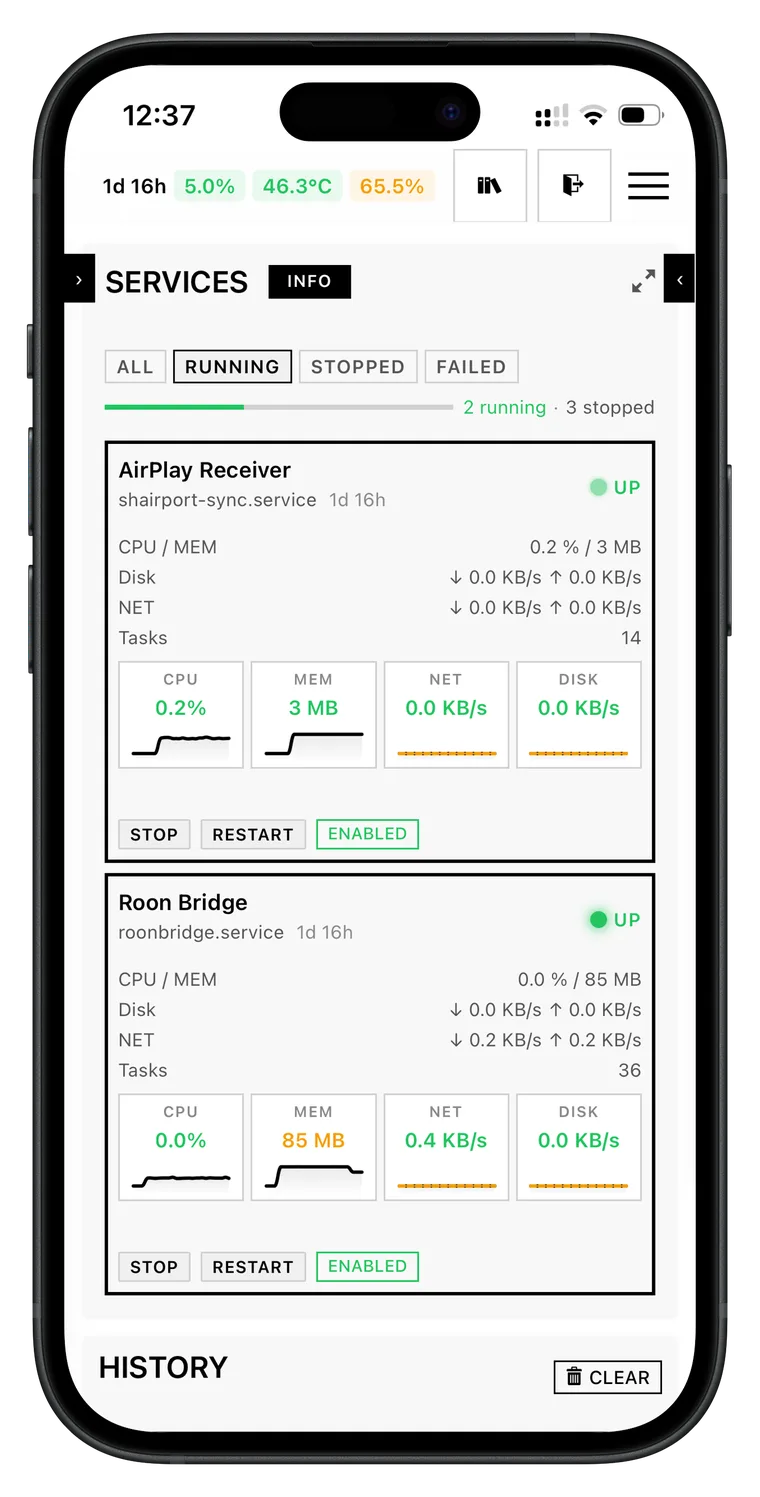
Service tile + 60 s sparklines
Live systemd state. Instantaneous CPU, memory, network and disk with LOW/MEDIUM/HIGH thresholds.
Expected throughput reference (CD ≈ 1.4 MB/s, Hi-Res ≈ 10 MB/s, DSD64 ≈ 22 MB/s). Uptime shown.
Live systemd · sparklines · uptime
STARTER
Complete audio device inventory
Every ALSA card, USB interface, subdevice and hardware capability your kernel sees — without
aplay -l or lsusb. Plus CPU, temperature, memory,
disk and network at a glance.
ALSA · USB · sub-devices · hardware caps
STARTER
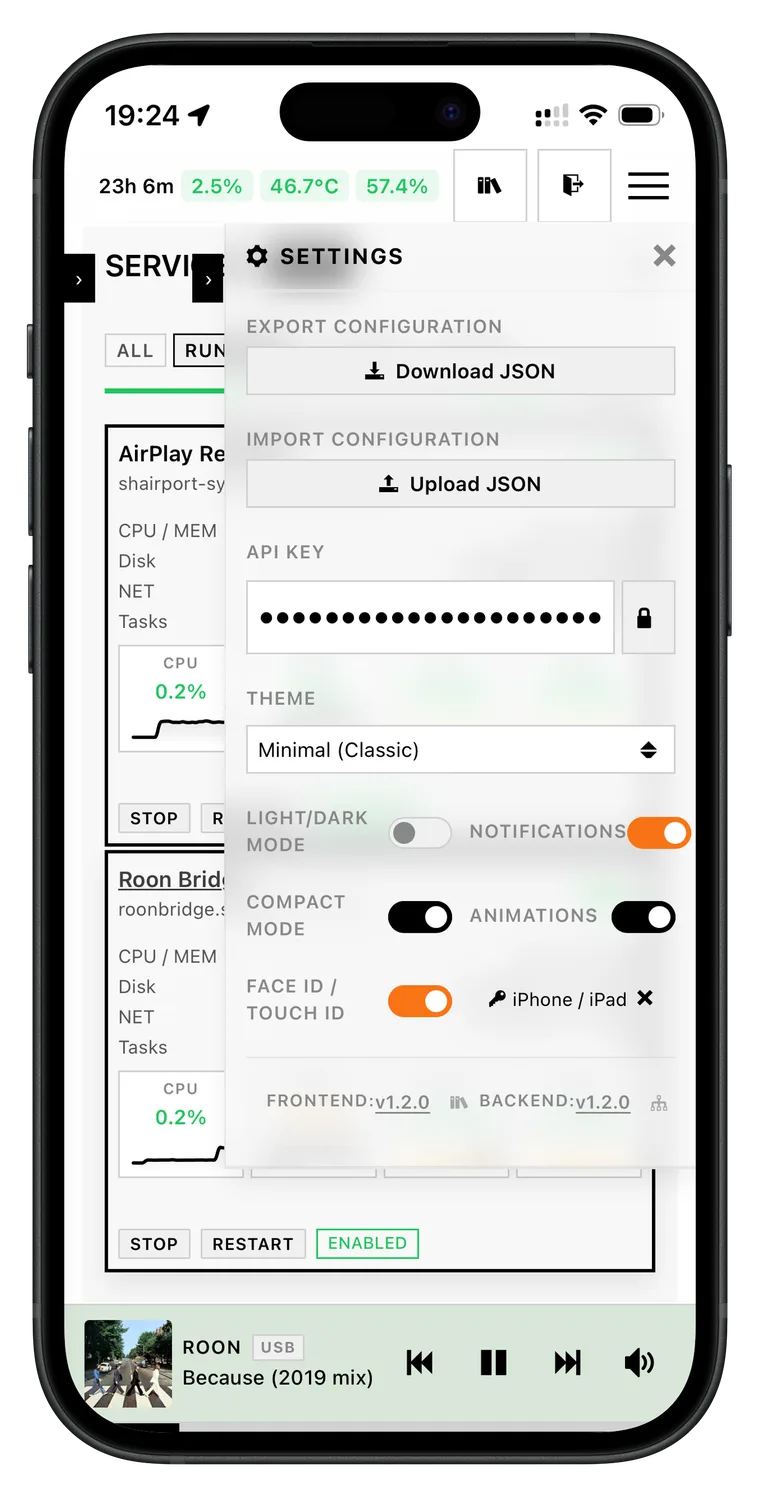
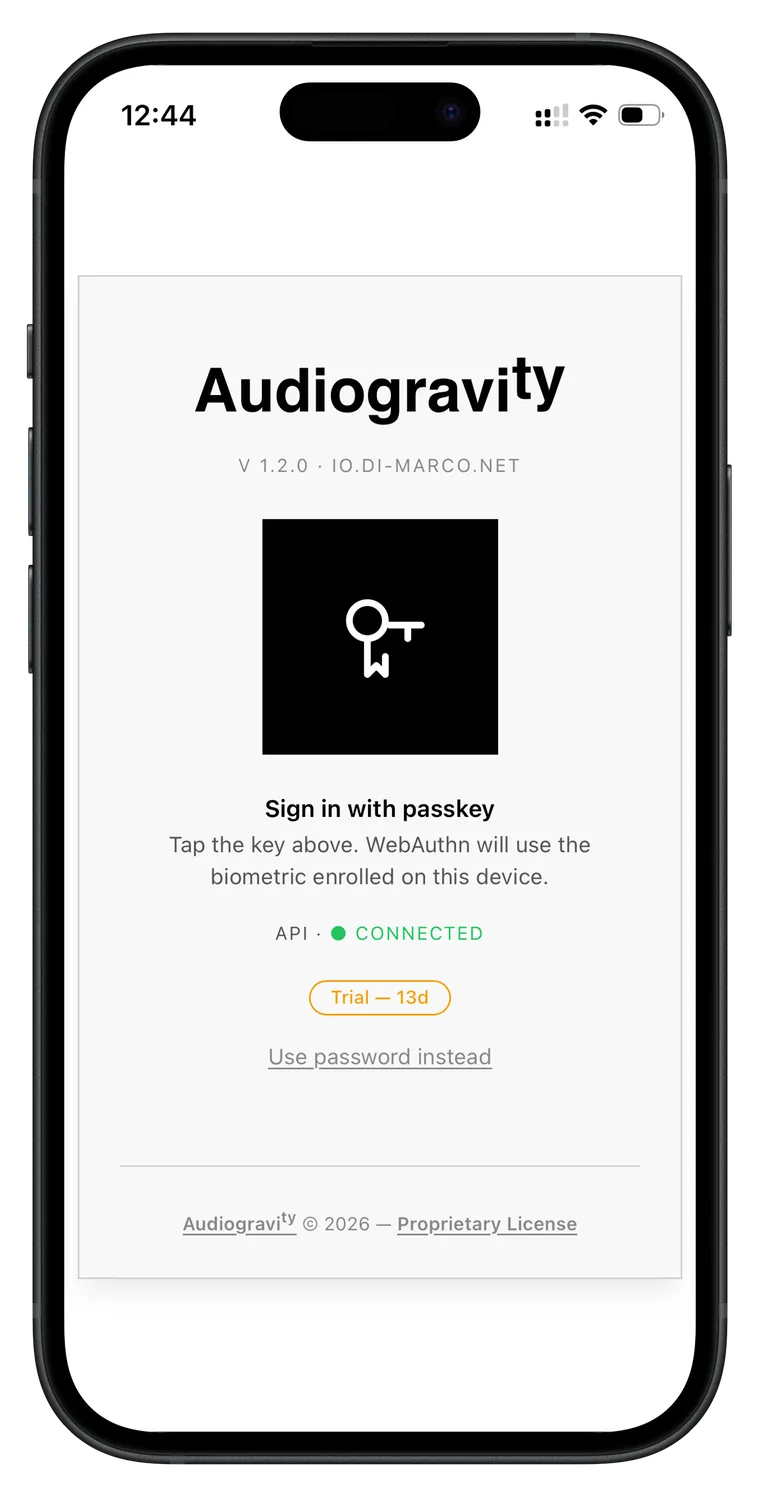
WebAuthn passkeys
Face ID, Touch ID, fingerprint, YubiKey. Multiple devices per user, managed individually.
Role-based access — Admin, User, Guest — with session history.
FIDO2 · Face ID · YubiKey · RBAC
STARTER
Push notifications
Get notified the instant a critical service fails, the CPU crosses the critical
temperature, a software update is available or a profile is activated. Even when the
PWA is closed.
Service down · Critical temperature · Update available · Background push
PRO
Auto-discovery
Audiogravity scans your network on demand. MPD instances, Roon Bridges, UPnP servers,
AirPlay receivers — all picked up automatically.
MPD · Roon · UPnP · AirPlay · HQPlayer · SSDP
PRO
HQPlayer DSP remote
Change HQPlayer's sound-shaping settings — interpolation filter, noise shaper, output mode and volume — on your HQPlayer instance
without leaving the couch. Auto-discovered on your local network — connect in one tap.
Play any track from your UPnP library directly through HQPlayer's DSP engine.
Audiogravity becomes your UPnP control point: discover every renderer on your
network — network amplifiers, dedicated streamers, DLNA speakers — and drive them directly
from the interface. Browse any source, hit Play: the stream reaches the renderer
bit-perfect, at full resolution, without touching the server's audio path. A live
"Up next" strip shows the next track as it is loaded onto the renderer.
UPnP renderers · DLNA · bit-perfect · output selector · Up next
STARTER
One-click self-update, with automatic rollback
When a new release ships, the Admin tab shows a banner: one click and your password —
the box downloads, swaps and health-checks the new version, with live progress across the
restart. If anything goes wrong it rolls back automatically to the previous version.
Never left on a broken update, never a terminal.
Update banner · health-check · auto rollback · no terminal
Now playing · HQPlayer NAA · DSD256
Shameika
Fiona Apple — Fetch the Bolt Cutters
Roon → HQPlayer → Heed Abacus S → Naim Nac 52 / Nap 250
iOS→Roon Core→HQPlayer NAA→Heed Abacus→Naim Nac 52 / Nap 250
Audio pipeline · Pro
Every device. Every connection. Live.
The pipeline graph is the signature view of Audiogravity. It renders your
audio-topology.json — the physical and
virtual map of your Hi-Fi chain — as a live, interactive SVG you can pan, zoom and steer from. Click any
link to open the steering popover and reroute the ALSA output — gapless on MPD; AirPlay warns
before restarting its receiver.
IdleActive streamBit-perfect
Audio priority · Pro
End the jitter.
A 200 µs interrupt is enough to make a DSD256 stream audibly grainy.
Audiogravity
gives each audio service the priority it needs, and writes those settings beside the
originals rather than over them — an update cannot undo your work, and one click puts everything
back. Then measure the result yourself, in microseconds.
What you control, per service
SchedulingAudio threads run ahead of everything else — strict or round-robin. (SCHED_FIFO / SCHED_RR)
PriorityWho gets the CPU first: your player, then AirPlay, then the rest. (1 → 99 — MPD at 80, AirPlay at 60)
Dedicated coresEach service gets its own CPU cores, shielded from the rest of the system. (affinity)
MemoryAudio stays in RAM — never pushed to disk mid-track. (MEMLOCK)
Internal threadsA ceiling so a single service cannot starve the others. (RTPRIO)
CPU speedFull speed on the cores playing music, low power on the idle ones — re-applied at boot. (governor)
# /etc/systemd/system/mpd.service.d/audio.conf
# written by Audiogravity · upgrade-safe drop-in
[Service]
CPUSchedulingPolicy=fifo
CPUSchedulingPriority=80
CPUAffinity=2 3
LimitMEMLOCK=infinity
LimitRTPRIO=95
Nice=-19
# verified by cyclictest
# max latency 47 µs · ✓ bit-perfect
2s
SSE telemetry, peak
Live CPU, temperature, I/O and network streamed to every connected browser. Backs off to 30 s at
idle.
47µs
Cyclictest max latency
On a tuned Pi 5 with FIFO/80, CPU pinning and MEMLOCK — measured from the browser, archived with
timestamp.
0
Cloud dependencies
Playback runs entirely on your local machine. No account. No telemetry. Your credentials and
system state stay on your network — only cover-art and radio-catalogue lookups query public
metadata services.
Where it sits
Five layers. Audiogravity covers three, manages two.
A streaming system is a stack. Audiogravity does not compete with audio
engines like MPD, Roon Bridge or HQPlayer — it orchestrates them, installs and configures them, and
tunes the OS underneath.
5
User Interface
Browser · phone · tablet · PWA
Audiogravity
4
Control / Orchestration
Source switching · transport · volume · UPnP renderer control · monitoring
Audiogravity
3
Content Sources
NAS · Qobuz · Tidal · HIGHRESAUDIO · Internet radio · MinimServer
The takeaway: Audiogravity owns the interface and orchestration layers, installs,
configures and drives the audio engines audiophiles already trust (MPD, upmpdcli, AirPlay,
the HQPlayer NAA + DSP, Roon, network UPnP renderers), connects the content sources they rely
on (NAS, Qobuz, Tidal, HIGHRESAUDIO, internet radio, MinimServer), and tunes the OS kernel
underneath — without replacing or hiding any of them.
How it compares
One orchestrator. Every audiophile engine.
Audiogravity sits at a different layer than the rest. It does not compete
with Roon, MPD or HQPlayer — it orchestrates them. The table below clarifies where each solution stops.
supported · partial = limited · — not available. Comparison based on public
information from each vendor's documentation as of 2026.
Mobile · PWA · WebAuthn
An app on your phone. Without an app store.
Audiogravity isn't just a web interface — it's a Progressive Web App,
installable
from Safari or Chrome to your home screen. Full-screen, dedicated icon, biometric login, push
notifications when a service falls over.
Install in one gesture. Unlock with your face.
From Safari (iOS) or Chrome (Android), add Audiogravity to your home screen. The app
opens
full-screen, without browser chrome, with its own icon. After a first password login, register a
passkey on the device — every subsequent login is Face ID, Touch ID, fingerprint or YubiKey.
InstallSafari / Chrome → Add to Home Screen →
full-screen PWA
LoginFace ID, Touch ID, Android fingerprint,
Windows Hello, YubiKey
Multi-deviceSeveral passkeys per user, managed
one-by-one in your profile
PushNotification when a service fails, the
CPU hits the critical temperature or an update is available — even with the app
closed
Audiogravity ships in three tiers: a 30-day Trial with full access, a free
Starter
Edition that activates automatically when the trial ends, and a Pro License — a lifetime license that
permanently unlocks all features on one machine.
The interface is open source (MIT) — fork it, contribute, or build on it. The core engine remains proprietary.
Trial
€0
30 days · auto-activated
Full access to every feature on first install. No action required. Days remaining
shown in Admin › License.
Permanently unlocks every Pro feature. Bound to one installation. Includes all
v1.x updates. Pro holders get a preferential upgrade price for new major versions.
Linux Debian or DietPi on x86_64 and Raspberry Pi (aarch64). Other distributions
may work but are not officially supported. License is bound to the device — moving to another one
requires a license reset, available on request.
Who I am
I designed Audiogravity for my own system — MPD, Roon, and HQPlayer connected
to a Heed Abacus, a Naim NAC 52 / NAP 250 setup, and ATC SL20 speakers — I handle its development
and maintenance. — Alexandre Di Marco
01Pay from the interfaceClick "Pay with PayPal" in Admin › License. €49 lifetime.
02Receive your keyLicense key delivered by email within seconds. Order code unique to you.
03Activate deviceClick "License Key", enter the key, confirm. The signed .lic file is bound to your
device.
04ListenAll features immediately available. No restart, no logout. No subscription.
FAQ
Common questions.
The Starter Edition activates automatically — no action required. You keep full access to all Starter features indefinitely, for free. Pro features are locked until you purchase a licence (see 7. Administration → Licence).
Yes. MPD alone is enough for the Starter Edition. Roon, HQPlayer, upmpdcli, Shairport-Sync and AirPlay are all optional — install whichever you want in one click from the Audio Software tab, and Audiogravity manages them from there (configuration, tuning, orchestration). See 3. First run.
Only if you want to use those services. Qobuz, Tidal and HIGHRESAUDIO browsing in the Library requires an active subscription to each respective service. Everything else works without any third-party subscription.
Audio playback runs entirely on your local network — no cloud, no telemetry. However, licence activation and periodic validation require access to the licence server, and Qobuz, Tidal and HIGHRESAUDIO require an active internet connection for streaming.
No. A Pro licence is bound to one installation. If you move to a new machine, a licence reset is available on request — contact us at contact@audiogravity.app.
All v1.x updates are included with the Pro licence. Pro holders receive a preferential upgrade price for future major versions.
Audiogravity is a Progressive Web App — it installs from the browser, no app store needed. On iOS: open Safari, navigate to your Audiogravity URL, tap Share → Add to Home Screen. On Android: open Chrome, tap the three-dot menu → Install app. It then runs fullscreen with its own icon, just like a native app — and on iOS the installed app is what enables push notifications. Note: on iOS, only Safari supports PWA installation. See 3. First run.
All three connect from Library → Sources: open the service's card and tap Connect. Qobuz signs in and redirects back automatically. Tidal lands on a fixed URL that a web app can't intercept — copy that full URL from the address bar, paste it back into the Tidal card and tap Finish login, once. HIGHRESAUDIO is simpler: enter your account email and password directly in its card. Tokens are then stored and refreshed for you. The full walkthroughs are in 5. Library & streaming.
A fully illustrated manual covers the whole journey — from installation to troubleshooting — with a one-page quick start and a glossary. It is readable inside the app (the Manual tab, always up to date) and online.
From the interface. When a new release is available, the Admin tab shows an update banner — one click and your admin password, and the box downloads, installs and health-checks the new version with live progress. If anything goes wrong it automatically rolls back to the previous version. No terminal, no re-running the installer. See 8. Updating.
Installation
On your streamer in one command.
No compilation, no dependency hell, no manual configuration. The installer
detects your architecture, generates security keys, configures the systemd service and starts
everything. Then install your audio engines in one click from the interface (MPD, AirPlay,
UPnP…) and let the guided setup wire your DAC and music library. A few minutes from curl to listening.
RecommendedDietPi on x86_64 or Raspberry Pi (aarch64)
SupportedDebian / Ubuntu — any recent kernel
AccessAny browser on your network — phone, tablet,
laptop
NetworkLocal only. Your data never leaves your home.
Trial30 days full access · auto-activated on first run
UpdatesOne-click from the UI — no terminal, no re-running the
installer
DietPi
Recommended
Raspberry Pi
aarch64
Debian / Ubuntu
x86_64
# All-in-one — core + ui, works on your LANcurl-fsSLhttps://audiogravity.app/install.sh \ | sudo bash -s -- --token ghp_xxx# Then open in your browser:https://<ip-of-your-streamer>
# Optional — passkeys (Face ID / Touch ID) + push.# Only if AG is reachable via a public HTTPS domain:curl-fsSLhttps://audiogravity.app/install.sh \ | sudo bash -s -- --token ghp_xxx \ --public-url https://your-domain \ --vapid-email you@example.com